

Windows Vista Tips: How to Resize a Partition
Filed Under ( Technology, Tips, Tutorial, Windows Secret ) by admin on 08-06-2009
Tagged Under : Disk, Management, Partition, Vista, Windows
Windows Vista includes a great tool for resizing partitions without losing data, which is something that used to require 3rd party tools in previous versions of Windows (such as Partition Magic).
Of course, with any process involving changing the way your data is stored, I would recommend backing anything important up to external storage.
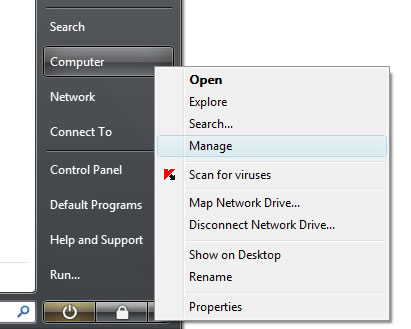
To load the Disk Management too, click on the Start Menu then right click on Computer and select Manage.
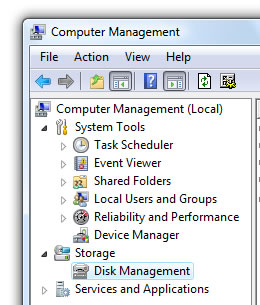
Then select Disk Management from the storage section in the left panel. This will bring up an overview screen showing all of the drives in the computer.
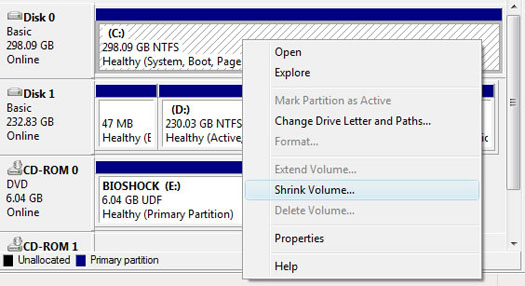
Select the partition you want to resize by right clicking on it and choosing either “shrink” or “expand” to change the partition size.
Related posts:
