

Windows Vista Tips: Vista Startup Problems
Filed Under ( Hacks, Technology, Tips, Tutorial, Windows Secret ) by admin on 03-03-2009
Tagged Under : Support, Tips, Vista, Windows
It is possible that at some point during using your computer that Windows Vista will be unable to boot. Corruption, viruses and failing hard drives can all cause this, but fortunately Windows Vista can auto-diagnose and fix most problems quite easily.
First, insert the Vista DVD into the computer and restart it (to start the boot process). You will be asked to press any key to boot from the DVD:
Then, fill in the language and location options and click Next:
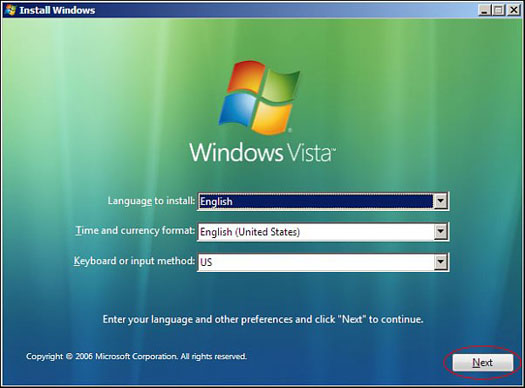
Now, click Repair your Computer:
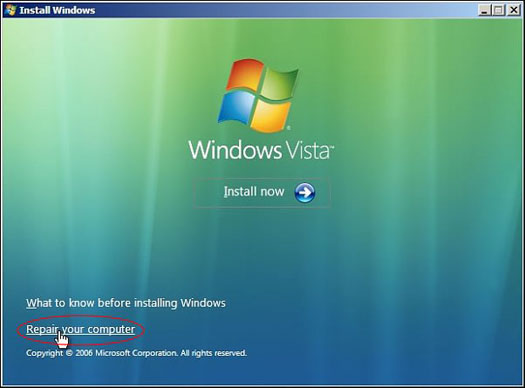
Then, select your Vista partition and click Next:
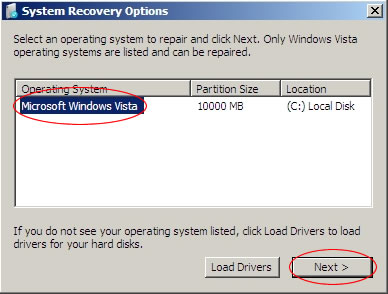
Click Startup Repair from the next menu:
This will launch an automated process to see if there are any problems which may prevent Windows Vista from loading. Your PC may reboot several times during this test, helping the software to detect any faults. If the problem can be fixed, Vista will try to repair the drive and then reboot your PC.
Related posts:
