

Windows Vista Tips: Increase Menu Speed
Filed Under ( Hacks, Technology, Tips, Tutorial, Windows Secret ) by admin on 11-02-2009
Tagged Under : Tips, Vista, Windows
Windows Vista has a built in menu delay setting so that it waits a certain length of time when you hover over a menu item before expanding the further options. For most users this is fine, but power users may find the wait rather annoying and would rather have instant menu opening speeds on mouse over.
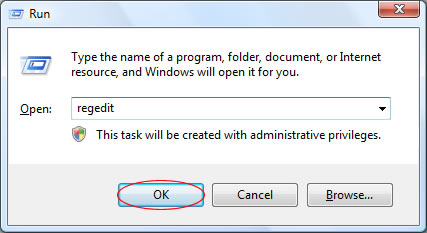
A simple registry tweak will allow you to speed up the menu. First load the registry editor by launching regedit from the Run menu (Press WINDOWS KEY + R to access the run menu):
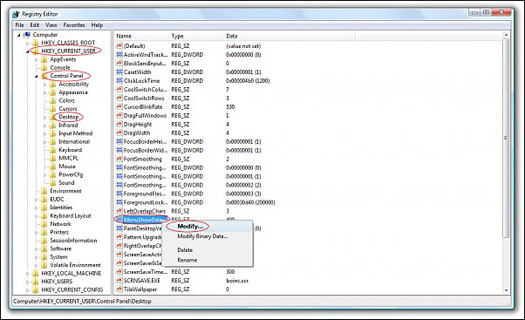
Then, navigate to HKEY_CURRENT_USER\Control Panel\Desktop in the side panel, then right click on MenuShowDelay and select Modify:
Now, enter the menu delay time in milliseconds (1 is near instant, do not enter 0!) and press OK:
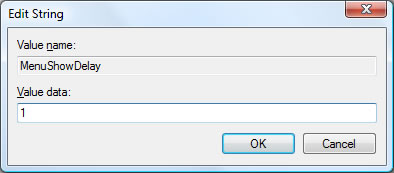
Once you have restarted your menus will slide at near instant speeds. The default setting is 400 should you wish to restore the default menu setting.
Related posts:
