

Vista Speed Secret #4: Disable Automatic Disk Defragment
Filed Under ( Hacks, Technology, Tips, Tutorial, Windows Secret ) by admin on 21-01-2009
Tagged Under : secret, Vista, Windows


Windows Vista uses an always-on defragment set up that isn’t that necessary and will cause your system to slow down. Remember to run a defragment manually once a month.
To shut down this feature:
- Click the Start button
- Select Computer
- Right-click on C: Drive icon
- Select Properties
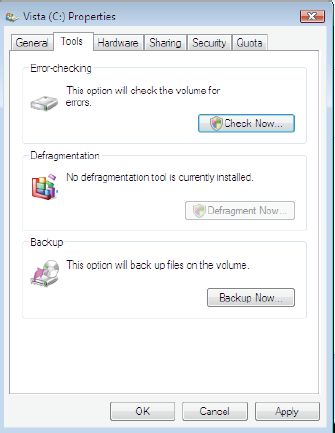
- Click the Tools tab
- Uncheck Run on a schedule
- Click OK
Related posts:


IMO, the Vista defragger is too slow and I hate the fact that I cant see whats happening on the defrag. I now use Diskeeper09, glad I purchased it as I can continue to work on the PC even as it defrags in the background. Its also said to defrag even under extreme fragmentation in low free space.