

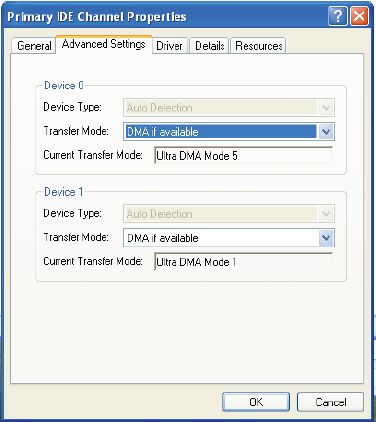
XP Speed Secret #6: Enable Direct Memory Access (DMA)
Filed Under ( Technology, Tips, Tutorial, Windows Secret ) by admin on 17-12-2008
Tagged Under : secret, Tutorial, Windows
|
 |
|
|
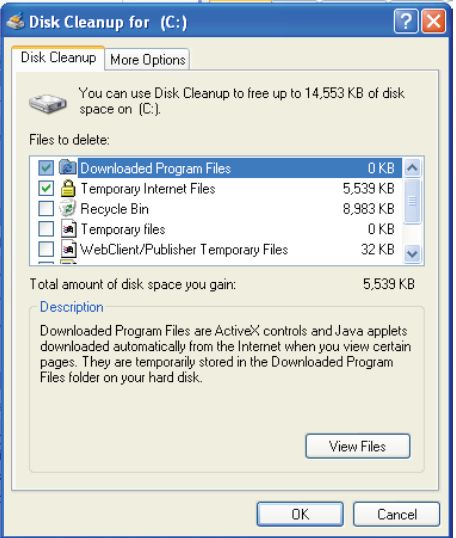
Both Windows and application programs tend to leave temporary files lying around on your hard drive, taking up space. A hard drive that is close to being “full” can cause Windows to slow down or interfere with efficient disk access and virtual memory operations.
If you surf the web a lot, your temporary internet files folder can become quite large, causing Internet Explorer to slow down or malfunction. Cleaning up unneeded files, scanning for disk errors and defragmenting the hard drive can help to restore some zip to your system. Try to run once a month for peak performance.
|
 |
